
Disclosure: WorkWise is reader-supported. When you buy through links on our site, we may earn an affiliate commission at no extra cost to you. Learn more.
At-a-glance recommendations
A fast comparison list for the products covered in this guide.
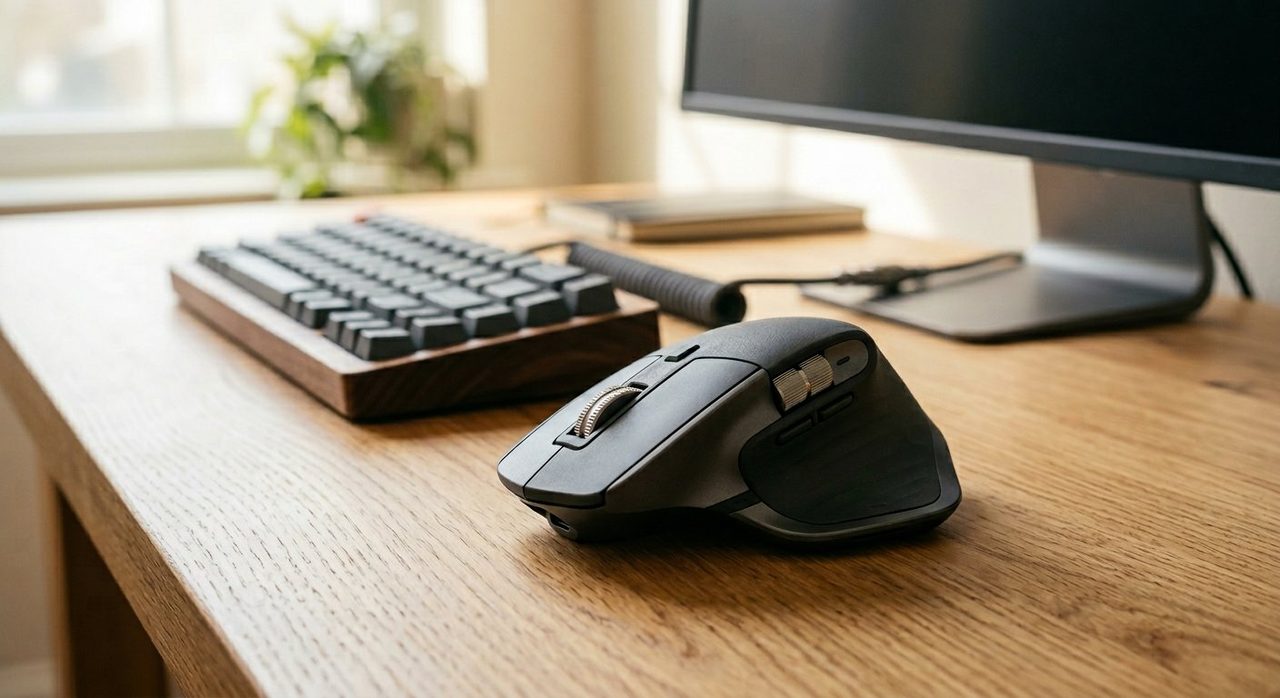
Logitech MX Master 3S
The best general-purpose office mouse on the market. The MagSpeed scroll wheel alone justifies the price.
Logitech MX Vertical
The chair-meets-mouse moment. If your forearm aches by 5pm, try this for two weeks. Most users never go back.
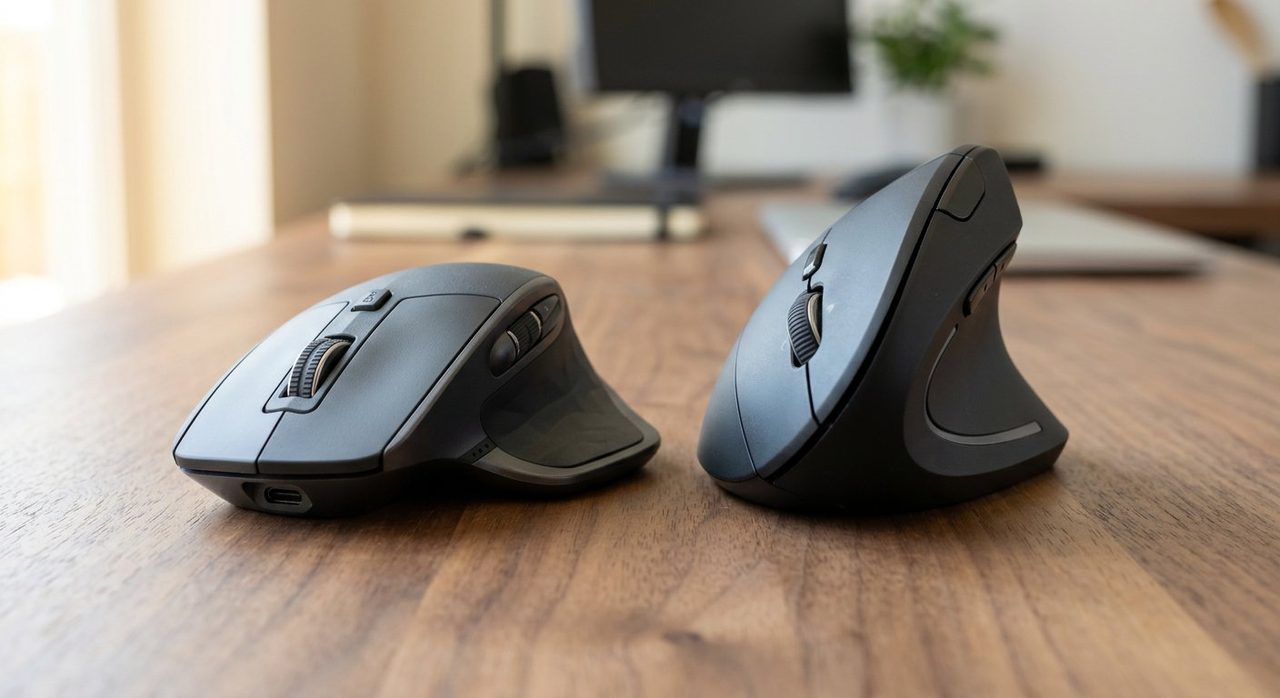
The Logitech MX Master 3S and MX Vertical are both excellent — but they're designed for different problems. The 3S is the most refined version of a traditional ergonomic mouse; the Vertical eliminates wrist pronation entirely. Which is right for you depends less on the specs and more on how your hand and forearm feel after a long day.
At a glance
| Feature | MX Master 3S | MX Vertical |
|---|---|---|
| Price | ~$99 | ~$99 |
| Shape | Traditional ergonomic | 57° vertical |
| DPI | 8000 (adjustable) | 4000 (adjustable) |
| Scroll wheel | MagSpeed (electromagnetic) | Standard |
| Battery | 70 days | 4 months |
| Buttons | 7 programmable | 6 programmable |
| Multi-device | 3 devices | 3 devices |
| Quiet click | Yes | Standard |
Comfort for long sessions
Winner: Depends on your forearm
This is the only spec that really matters. If your forearm has ever ached at the end of a workday, your standard mouse is forcing your forearm into a pronated (palm-down) position for 8 hours. That's the cause.
The MX Vertical eliminates this entirely by tilting your hand into a natural "handshake" position. After a 3-5 day adaptation period, most users report meaningful forearm pain reduction.
The MX Master 3S is the most ergonomic version of a traditional mouse — deeply contoured, well-supported thumb area, comfortable hand position. But it doesn't fix the underlying pronation issue.
Verdict: No pain → 3S. Any forearm/wrist discomfort → Vertical.
Precision and accuracy
Winner: MX Master 3S
The 3S has 8000 DPI vs the Vertical's 4000, and its shape lends itself to fine pixel-level control better. For graphic designers, video editors, CAD users — anyone doing precision work — the 3S has the edge.
For everyday office work (browsing, writing, spreadsheets, email), both are equally accurate.
Verdict: Designers/editors → 3S. Everyone else → equal.
The MagSpeed scroll wheel
Winner: MX Master 3S (clearly)
The 3S's MagSpeed electromagnetic scroll wheel is one of the best features in any mouse. It clicks for precision when scrolling slowly, then spins freely for fast scrolling through long documents. Once you've used it, scrolling on other mice feels primitive.
The Vertical's scroll wheel is good but standard.
Verdict: If you scroll through long documents, code, or web pages often, 3S wins decisively.
Learning curve
Winner: MX Master 3S (zero learning curve)
The 3S feels like a slightly-better regular mouse on day one. Productivity is unaffected.
The Vertical takes 3-5 days of acclimation. Clicking feels weird, you'll over-shoot targets, and your old mouse will feel "right" by comparison. By day 7, you'll be back to full speed; by week 2, you'll prefer it.
Verdict: If you can't dedicate a week to adaptation, 3S wins by default.
Build quality
Winner: Tie
Both feel premium and last years. Both have replaceable scroll wheels and recharge via USB-C. Battery life is exceptional on both (70-120+ days).
Gaming compatibility
Winner: MX Master 3S
Neither is a gaming mouse, but the 3S can handle casual gaming if needed. The Vertical's shape makes fast-twitch movements clumsy.
Who should buy which
Buy the MX Master 3S if:
- You have no forearm or wrist pain
- You do precision work (design, photo, video editing)
- You scroll through long documents frequently
- You want zero learning curve
- You occasionally game on your work computer
Logitech MX Master 3S
The best general-purpose office mouse on the market. The MagSpeed scroll wheel alone justifies the price.
Buy the MX Vertical if:
- You have any forearm, wrist, or thumb pain after long sessions
- You've tried mouse wrist rests without relief
- You're willing to invest 1-2 weeks adapting
- Your work is everyday office tasks (writing, email, spreadsheets, web)
Logitech MX Vertical
The chair-meets-mouse moment. If your forearm aches by 5pm, try this for two weeks. Most users never go back.
What if I want both but cheaper?
Logitech occasionally offers refurbished versions of both at ~30% off through their certified-refurbished program. Both also go on sale during major shopping events (Prime Day, Black Friday). Set price alerts and wait if budget is tight.
Final word
For most users with no current pain, the MX Master 3S is the obvious daily-driver — versatile, precise, and the MagSpeed wheel is genuinely amazing. For users with any forearm or wrist discomfort, the MX Vertical is the targeted fix. If you can swing it, owning both and alternating is the long-term ergonomic optimum.
For the broader mouse-type discussion (ergonomic vs vertical vs trackball), see our three-way comparison.
Frequently asked questions
MX Master 3S or MX Vertical — which is better?
MX Master 3S is better for general office use and precision work; MX Vertical is better for users with forearm or wrist pain. They solve different problems: 3S is the best version of a traditional mouse; Vertical eliminates the forearm pronation that causes pain.
Will I lose precision switching to MX Vertical?
Slightly for the first 3-5 days, then no. After adaptation, accuracy is comparable for everyday work. For pixel-perfect design work, MX Master 3S remains more precise.
Which is more comfortable for long days?
Depends on your forearm. If you have no pain, MX Master 3S is more comfortable initially. If you have any forearm or wrist ache, MX Vertical is dramatically more comfortable after the adaptation period.
Can I use both? Like, alternate between them?
Yes — this is actually a great strategy. Many ergonomics experts recommend alternating between two mouse types to vary the muscle load. The MX Master and MX Vertical work well as a pair.
Are they worth the price over cheaper Logitech mice?
If you use a computer 4+ hours a day, yes. The build quality, scroll wheels, and multi-device pairing alone justify the price. Cheap mice work fine for occasional use; for daily work, premium is worth it.
Spotted a mistake or want to suggest a product we should test? Get in touch — we read every message.