
Disclosure: WorkWise is reader-supported. When you buy through links on our site, we may earn an affiliate commission at no extra cost to you. Learn more.
At-a-glance recommendations
A fast comparison list for the products covered in this guide.
Dell UltraSharp U2723QE
27" 4K IPS panel with 90W USB-C charging and a built-in KVM-style hub. Color accuracy out of the box is excellent. It's not the cheapest option, but…
LG 27QN600-B
A 27" 1440p IPS for around $200. The stand is mediocre — buy a $30 arm. The panel itself is great for the price and handles HDR content adequately.
LG 34WP65C-B 34" Curved Ultrawide
If your work involves spreadsheets, code editors or video timelines, an ultrawide will change your life. The 34WP65C is a 21:9 1440p curve that's…
ASUS ProArt PA279CV
Calibrated out of the box for sRGB and Rec. 709, with a real Delta E specification. If you do photo editing, design or video work, this is hard to…
A second monitor is the single most-cited productivity upgrade in surveys of remote workers — and unlike a fancy chair or a treadmill desk, even a modest one will pay for itself in days of saved Alt-Tab. Here are the displays we'd actually buy in 2026, organised by use case rather than by spec sheet.
What actually matters in a productivity monitor
- Pixel density (PPI). For text-heavy work, aim for ~110 PPI or higher. A 27" 1440p panel hits a comfortable sweet spot; 4K at 27" is sharper but needs OS scaling.
- Panel type. IPS for color and viewing angle; VA for contrast (good for darker rooms); avoid TN.
- Connectivity. USB-C with Power Delivery is life-changing for laptop users — one cable for video, power and peripherals.
- Ergonomics. A height-adjustable stand or VESA mount support is non-negotiable.
- Refresh rate. 75–100Hz feels noticeably smoother than 60Hz even for office work. You don't need 240Hz unless you also game.
Best overall — Dell U2723QE 4K USB-C
Dell UltraSharp U2723QE
27" 4K IPS panel with 90W USB-C charging and a built-in KVM-style hub. Color accuracy out of the box is excellent. It's not the cheapest option, but if you're going to use it for 8 hours a day for 5 years, it's the one we'd buy.
Best budget — LG 27QN600-B 1440p
LG 27QN600-B
A 27" 1440p IPS for around $200. The stand is mediocre — buy a $30 arm. The panel itself is great for the price and handles HDR content adequately.
Best ultrawide — LG 34WP65C
LG 34WP65C-B 34" Curved Ultrawide
If your work involves spreadsheets, code editors or video timelines, an ultrawide will change your life. The 34WP65C is a 21:9 1440p curve that's wide enough to replace a dual-monitor setup without the bezel down the middle.
Best for creatives — ASUS ProArt PA279CV
ASUS ProArt PA279CV
Calibrated out of the box for sRGB and Rec. 709, with a real Delta E specification. If you do photo editing, design or video work, this is hard to beat under $500.
Best for MacBook users — Apple Studio Display alternatives
The Apple Studio Display is gorgeous but $1,600. For most Mac users, the Dell U2723QE above is the smart choice. If you must have a Retina-density panel, the LG UltraFine 27" 5K is the closest match at roughly half the price.
One monitor or two?
I switched from dual 24" monitors to a single 27" 4K in early 2023 and didn't expect it to make a meaningful difference. It did. The bezel between two monitors creates a small but constant cognitive seam — your eye keeps trying to bridge it. With one bigger monitor split into virtual windows, that seam goes away. I genuinely don't miss the second screen.
Counter-intuitively, we now recommend one large monitor over two medium monitors for most people. Why?
- No bezel forcing your eye to jump.
- You can split it into two virtual displays using built-in OS tools (macOS Stage Manager, Windows Snap, or apps like Rectangle/PowerToys).
- Less neck rotation = fewer headaches.
The exception: video editors, traders, developers who need a vertical code window — they often benefit from a primary widescreen plus a secondary in portrait.
Don't forget the arm
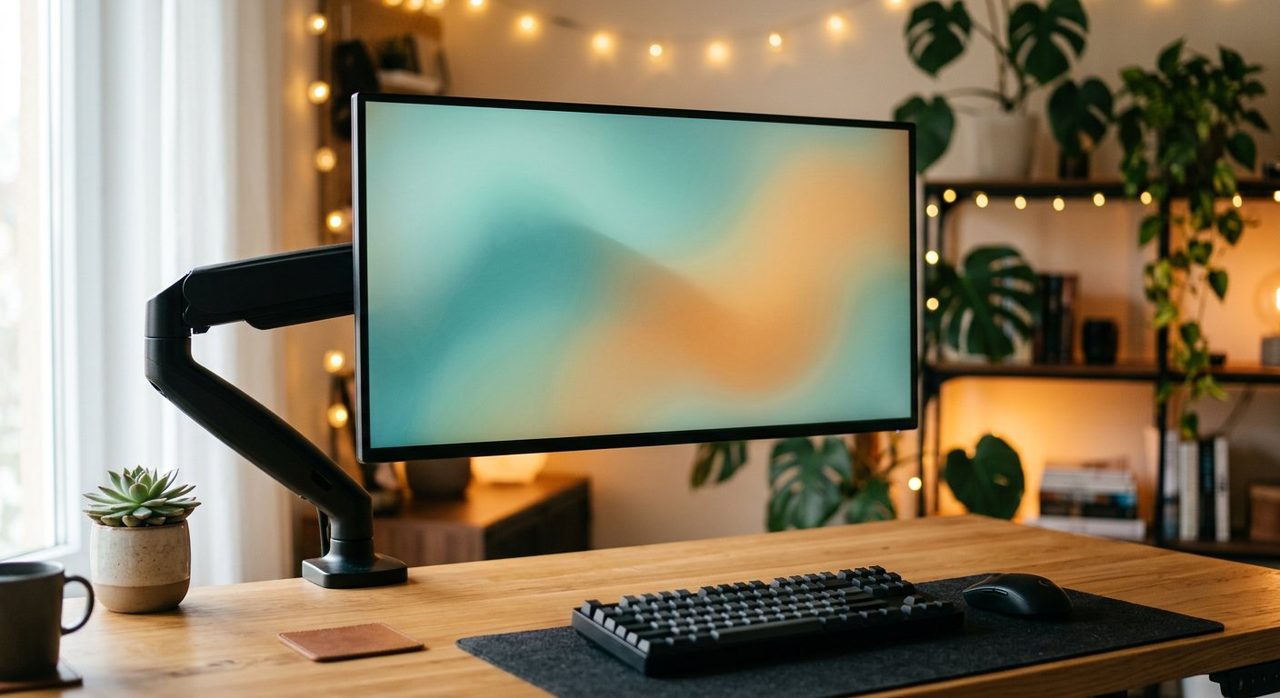
A monitor arm is the cheapest, biggest ergonomics win you can buy. It lets you set perfect eye-line height, pivot for collaboration, and reclaim the desk space underneath. Our long-time pick is the Ergotron LX, but the HUANUO and Vivo single-arm models work fine at a third of the price.
What we'd skip
- Curved monitors under 32". Curve only meaningfully helps on big ultrawides.
- OLED for productivity-only setups. Beautiful, but burn-in risk on a static desktop is real.
- Cheap "4K" panels under $200. Almost always 60Hz, low color gamut, and washed out.
Final word
For most readers, the answer is: one good 27" 1440p or 4K monitor + a decent arm + USB-C if your laptop supports it. That's the configuration we recommend to friends and family more than any other.
Frequently asked questions
What size monitor is best for productivity?
27 inches at 1440p or 4K is the sweet spot for most office work. Larger (32"+) is excellent if you have desk depth for it. Avoid going smaller than 24" for full-time work.
Is one ultrawide monitor better than two regular monitors?
For most users, yes. An ultrawide eliminates the bezel down the middle of dual-monitor setups, reduces neck rotation, and uses less total desk space. The exception is users who genuinely need different orientations (portrait + landscape).
Does refresh rate matter for office work?
Yes, more than people think. 75–100 Hz feels noticeably smoother than 60 Hz even for cursor movement and scrolling. You don't need 240 Hz unless you also game.
Should I get a 4K monitor for productivity?
If you're at 27"+ and your computer can drive it, yes. The text sharpness improvement is significant for any reading-heavy work. At 24" or smaller, 1440p is plenty.
Do I need a USB-C monitor?
If you use a USB-C laptop and want a single-cable setup, absolutely worth it. One cable handles video, power delivery (60–100W), and USB peripherals through the monitor's built-in hub.
Spotted a mistake or want to suggest a product we should test? Get in touch — we read every message.