
Disclosure: WorkWise is reader-supported. When you buy through links on our site, we may earn an affiliate commission at no extra cost to you. Learn more.
At-a-glance recommendations
A fast comparison list for the products covered in this guide.
Belkin BoostCharge Pro 15W MagSafe
Genuine MagSafe certification, full 15W charging speed. Stable puck design with a magnetic disc that holds the phone at any angle. Best…
Anker PowerWave II 15W Wireless Charging Pad
Works with any Qi-compatible phone, includes a wall adapter. The "just charges anything" choice. Sleek and slim.
Anker 3-in-1 Wireless Charging Station
Charges phone, AirPods, and Apple Watch simultaneously. Great for cleaning up an Apple-heavy desk into a single charging zone.
Mophie Snap+ Wireless Charging Stand
Holds your phone vertical or landscape, making it visible without picking it up — useful for video calls when your phone is also your secondary…
Yootech 10W Wireless Charger
Under $15. Works fine, no frills. The "try wireless charging before committing" pick.
ZEEHOO Qi2 3-in-1 Charging Station
Charges iPhone, AirPods, and Apple Watch on one stand with official Qi2 15W MagSafe speed. Tidy single-zone desk charging.
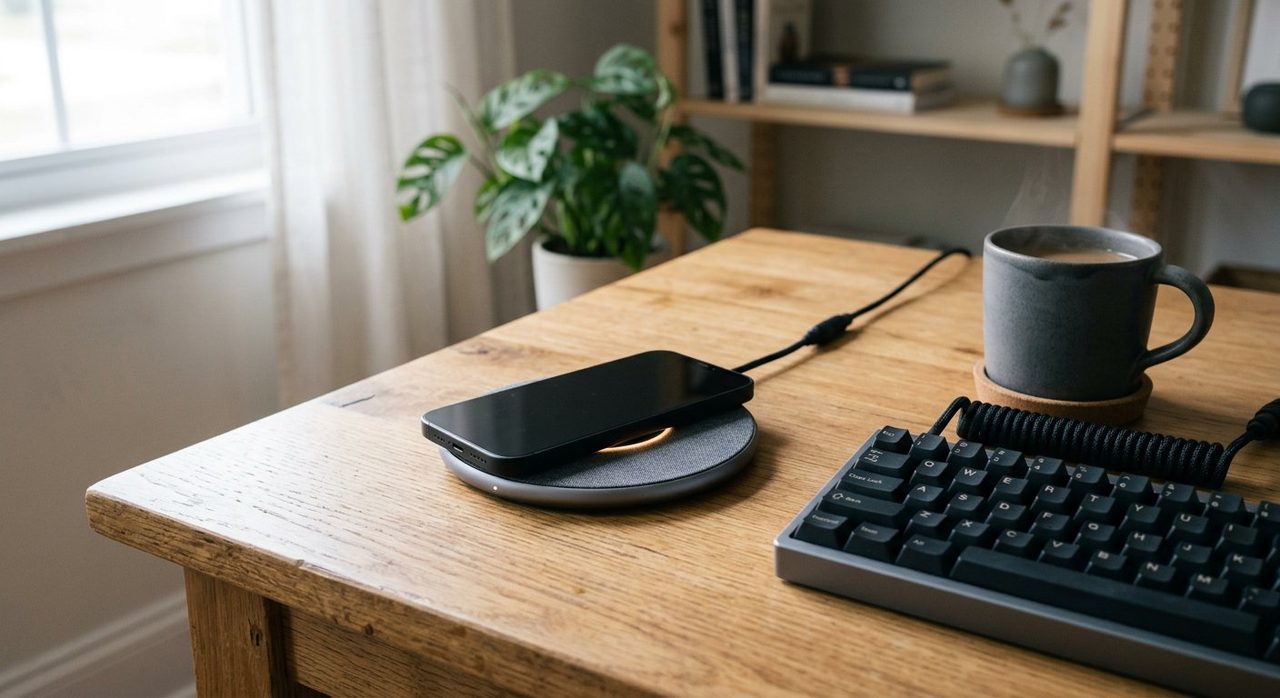
A wireless charger on your desk is one of those tiny quality-of-life upgrades that sounds like a gimmick until you have one. Drop your phone down, pick it up charged. No fumbling for cables. The desk stays tidier. Here are the wireless chargers that actually earn their place on a home-office desk.
1. Best overall MagSafe — Belkin BoostCharge Pro
Belkin BoostCharge Pro 15W MagSafe
Genuine MagSafe certification, full 15W charging speed. Stable puck design with a magnetic disc that holds the phone at any angle. Best Apple-ecosystem pick.
2. Best universal Qi pad — Anker PowerWave II
Anker PowerWave II 15W Wireless Charging Pad
Works with any Qi-compatible phone, includes a wall adapter. The "just charges anything" choice. Sleek and slim.
3. Best multi-device — Apple AirPods + Phone Combo Pad
Anker 3-in-1 Wireless Charging Station
Charges phone, AirPods, and Apple Watch simultaneously. Great for cleaning up an Apple-heavy desk into a single charging zone.
4. Best vertical stand — Mophie Snap+ Wireless Stand
Mophie Snap+ Wireless Charging Stand
Holds your phone vertical or landscape, making it visible without picking it up — useful for video calls when your phone is also your secondary screen.
5. Best budget — Yootech Wireless Charger
Yootech 10W Wireless Charger
Under $15. Works fine, no frills. The "try wireless charging before committing" pick.
Tips for desk placement
- Within arm's reach but not in your typing zone — about 6-8 inches behind the keyboard usually works.
- If you have a MagSafe puck, you can stick it to the side of your monitor to free up desk space entirely.
- Cable goes UNDER the desk (with your other cables — see our cable management guide), so only the pad shows on top.
What we'd skip
- "Fast wireless chargers" without the right adapter. Most need a specific 20W+ USB-C PD adapter; the charger alone won't deliver the advertised speed.
- Wireless chargers under $10. Either fail quickly or undercharge dramatically.
- Bulky charging desks with built-in pads. Locks you into one phone position forever; a $25 separate pad gives more flexibility.
Final word
For iPhone users, the Belkin BoostCharge Pro MagSafe is the upgrade you didn't know you needed. For Android, the Anker PowerWave II. Either way, your desk will be tidier and your daily 8-12 phone pickups will feel marginally nicer — and that adds up over a year.
Frequently asked questions
Are wireless chargers worth it for a home office?
If you charge a phone at your desk daily, yes. The 5 seconds saved per pickup adds up, and eliminating the cable removes a real source of desk clutter. Not worth it if you mostly charge overnight.
Is wireless charging slower than wired?
Slightly — typically 7.5-15W vs 18-25W wired. For desk use this almost never matters since you're charging continuously while working anyway.
Does wireless charging damage the battery?
Modern wireless charging uses the same trickle-charge logic as wired and doesn't meaningfully reduce battery life. Heat is the concern, and modern pads manage it well.
MagSafe vs standard Qi: which is better?
MagSafe (for iPhones) snaps into perfect alignment, which solves the #1 wireless-charging frustration. Worth it if you have a compatible iPhone.
Can a wireless charger interfere with my monitor or laptop?
No — modern chargers operate at frequencies that don't interfere with electronics. The only thing to avoid is placing a charger directly on top of an HDD-based external drive.
Spotted a mistake or want to suggest a product we should test? Get in touch — we read every message.