
Disclosure: WorkWise is reader-supported. When you buy through links on our site, we may earn an affiliate commission at no extra cost to you. Learn more.
At-a-glance recommendations
A fast comparison list for the products covered in this guide.
3M In-Line Document Holder (DH640)
The boring, reliable, "office standard" pick. Sits inline between keyboard and monitor, adjustable height and angle, sturdy enough to hold a stack of…
Fellowes Document Holder with Clip
Heavier, more adjustable, includes a movable line guide to keep your place. Slightly larger footprint.
Bamboo Tablet/Document Stand
If you don't need a dedicated solution, a bamboo tablet stand doubles nicely. Also works for cookbooks and recipes if your home office shares space…
Kantek Monitor Mount Document Holder
Attaches to your monitor's side. Best if your inline space is already crowded or if you prefer the document to your side rather than below the screen.
Reference paperwork on a desk is one of the great hidden ergonomic problems of remote work. You hunch slightly to read, your neck tilts, and after a week of heavy paperwork your shoulders ache. A $25 document holder fixes this completely — and almost no one knows they exist.
What to look for
- Inline placement — fits between your keyboard and monitor.
- Adjustable angle — 30-60° tilt for easy reading.
- Clip or lip — holds pages flat without folding them.
- Stable base — doesn't slide when you turn pages.
1. Best overall — 3M Adjustable Document Holder
3M In-Line Document Holder (DH640)
The boring, reliable, "office standard" pick. Sits inline between keyboard and monitor, adjustable height and angle, sturdy enough to hold a stack of papers.
2. Best premium — Fellowes Office Suites Document Holder
Fellowes Document Holder with Clip
Heavier, more adjustable, includes a movable line guide to keep your place. Slightly larger footprint.
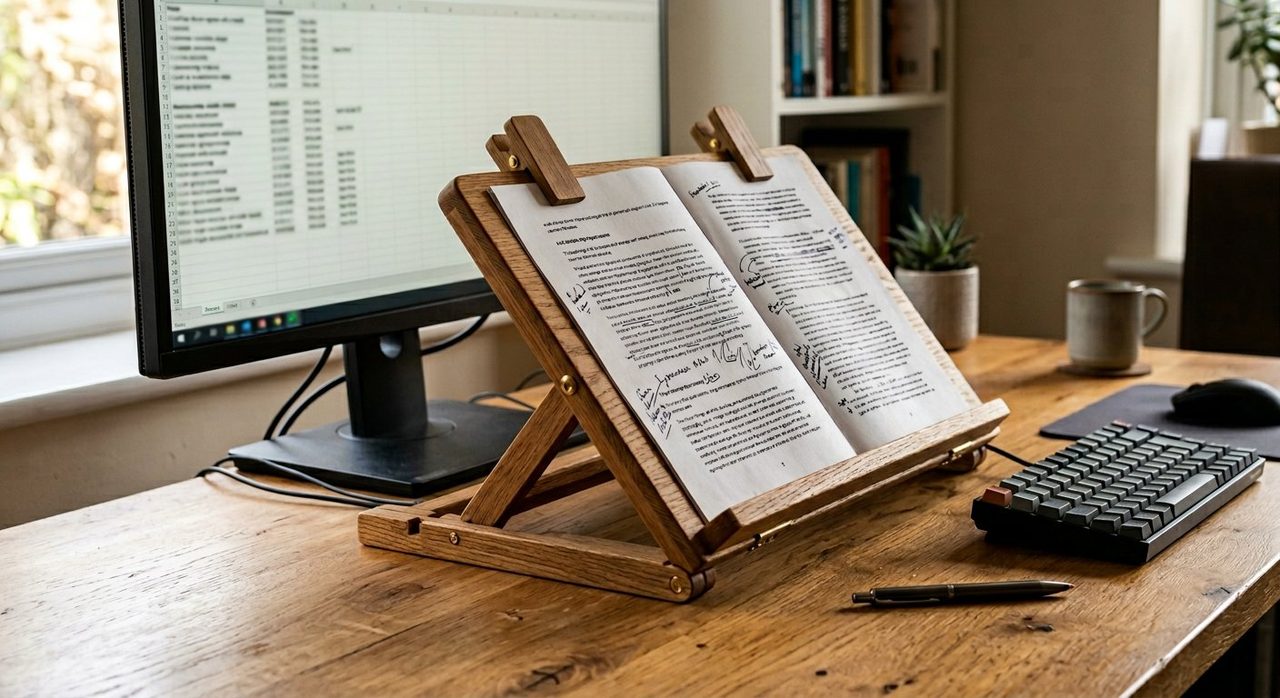
3. Best for occasional use — Wooden Tablet-Style Holder
Bamboo Tablet/Document Stand
If you don't need a dedicated solution, a bamboo tablet stand doubles nicely. Also works for cookbooks and recipes if your home office shares space with the kitchen.
4. Best side-arm — Kantek Monitor Mount Document Holder
Kantek Monitor Mount Document Holder
Attaches to your monitor's side. Best if your inline space is already crowded or if you prefer the document to your side rather than below the screen.
Setup tips
- Place the holder at the same vertical height as the bottom third of your monitor. Your eyes move minimal distance between the two.
- Light the document with your desk lamp — not your overhead — so brightness matches your screen.
- If your job has a paperwork-heavy day, batch it. Set up the holder, do all paperwork in one block, then put it away. Don't leave it permanently in the way.
Final word
For most people, the 3M In-Line Document Holder is the buy-and-forget choice. Cheap, durable, solves a real problem. For anyone who does heavy editing, reference, or data-entry work — this is one of those weird quality-of-life purchases you won't believe you went without.
Frequently asked questions
Do I really need a document holder?
If you reference paper documents while typing for more than 30 minutes a day, yes. Looking down and to the side repeatedly causes the same neck strain as a low monitor — and most people don't realize it's the culprit.
Where should a document holder be placed?
Directly between your keyboard and monitor, at the same height as the bottom of your screen. The goal is minimal eye movement between document, monitor, and keyboard.
Are inline document holders or side-arm ones better?
Inline (between keyboard and monitor) is best for typing-while-referencing. Side-arm (next to the monitor) is better if you only glance at the document occasionally.
Can I use a tablet stand as a document holder?
Yes, surprisingly well — many tablet stands are adjustable and have a lip to hold papers. If you have one lying around, try it before buying a dedicated holder.
Spotted a mistake or want to suggest a product we should test? Get in touch — we read every message.