

Disclosure: WorkWise is reader-supported. When you buy through links on our site, we may earn an affiliate commission at no extra cost to you. Learn more.
At-a-glance recommendations
A fast comparison list for the products covered in this guide.
J Channel Under-Desk Cable Tray (17")
Steel construction, mounts with screws or 3M strips. Holds a power strip and dozens of cables. The single most impactful purchase.
VELCRO Brand ONE-WRAP Cable Ties (100-pack)
The real-deal velcro, not knock-offs that lose their grip. Reusable, gentle on cables, fast to reconfigure.
D-Line Paintable Cable Raceway
For cables that travel from the desk to a wall outlet or to floor-level equipment. Paint to match your wall and it disappears.
Adhesive Cable Clips (50-pack)
Small clips that stick to the underside of the desk and hold individual cables flush. Great for the cables that wander away from the main bundle.
Bluelounge CableBox + Velcro Kit
The box hides a power strip and excess cable. Good if you can't drill into the desk to mount a tray.
JOTO Cable Management Sleeve (with ties)
Neoprene sleeve that wraps a bundle of cables into one neat tube. Great for the "desk to wall" run of cables — looks clean.
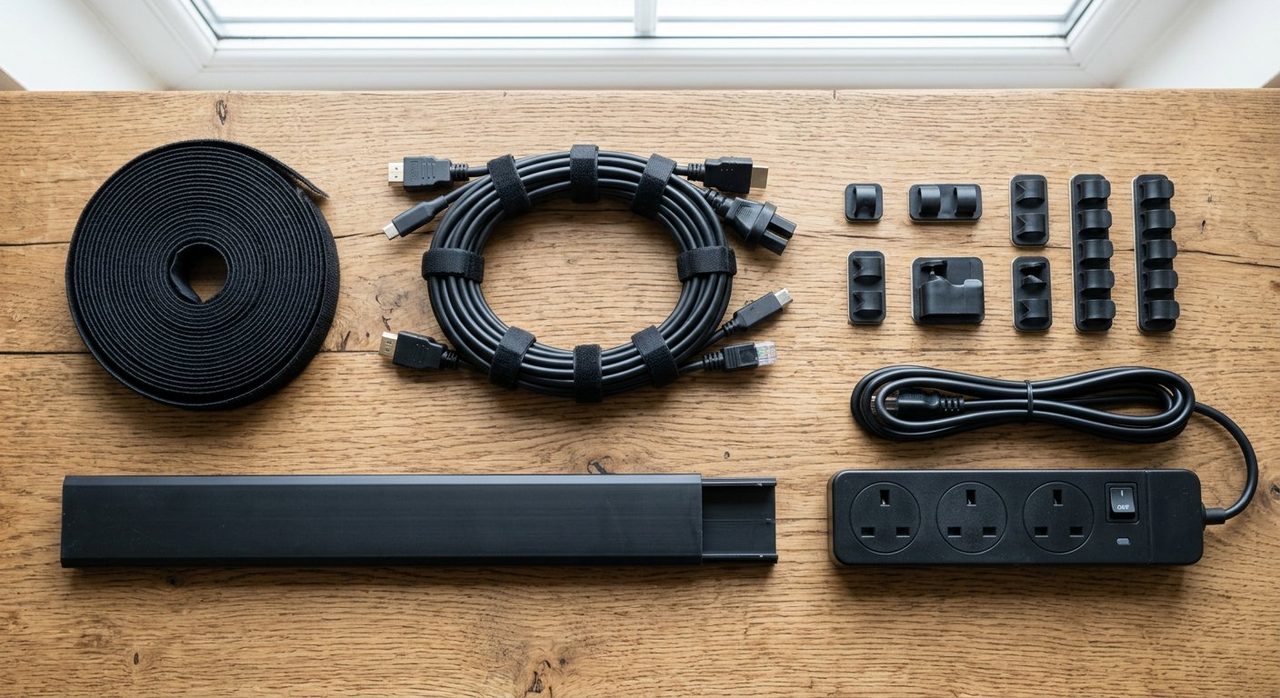
You don't need a fancy "cable management kit" to fix a messy desk. You need three categories of cheap, effective tools combined correctly. Here's what's actually in our kit, plus the all-in-one options that are worth considering if you'd rather buy a single box.
The 4 things that actually matter
1. Under-desk cable tray
J Channel Under-Desk Cable Tray (17")
Steel construction, mounts with screws or 3M strips. Holds a power strip and dozens of cables. The single most impactful purchase.
2. Velcro cable ties
VELCRO Brand ONE-WRAP Cable Ties (100-pack)
The real-deal velcro, not knock-offs that lose their grip. Reusable, gentle on cables, fast to reconfigure.
3. Paintable raceway (for wall runs)
D-Line Paintable Cable Raceway
For cables that travel from the desk to a wall outlet or to floor-level equipment. Paint to match your wall and it disappears.
4. Adhesive cable clips
Adhesive Cable Clips (50-pack)
Small clips that stick to the underside of the desk and hold individual cables flush. Great for the cables that wander away from the main bundle.
All-in-one kits worth considering
Bluelounge CableBox + Velcro Kit
The box hides a power strip and excess cable. Good if you can't drill into the desk to mount a tray.
JOTO Cable Management Sleeve (with ties)
Neoprene sleeve that wraps a bundle of cables into one neat tube. Great for the "desk to wall" run of cables — looks clean.
The 5-step cable cleanup
- Unplug everything. Pull every cable out from behind the desk.
- Mount the tray. Bolt or 3M-strip the cable tray to the underside of the desk, in the corner closest to most devices.
- Mount the power strip. Inside the tray or on the underside of the desk. One outlet, all devices.
- Bundle by category. All USB chargers in one velcro bundle, all monitor cables in another. Route bundles into the tray.
- Route to the wall. The single cable from your power strip to the wall outlet runs through a raceway down the desk leg or wall.
Standing-desk considerations
Rigid cable trays don't work well on standing desks — cables get pulled tight at full extension and the tray scrapes the wall. For standing desks, look for:
- Flexible cable spines — vertebrae-style covers that bend with the desk.
- Cable management routing on the desk frame — many standing-desk frames (FlexiSpot E7, Uplift) have built-in channels.
- Extra-long cables — give yourself 50% more length than seems necessary.
Final word
Skip the "ultimate cable management kit" pitches. J Channel tray + Velcro ties + D-Line raceway + adhesive clips covers virtually every home office for under $50. For the full step-by-step setup process, see our complete cable management guide.
Frequently asked questions
What's the best all-in-one cable management kit?
For most home offices, the J Channel cable tray + a 100-pack of velcro ties + a paintable raceway covers 95% of needs for about $40 total. No proprietary 'kits' beat this combination.
Should cable management go above or below the desk?
Below. Mount a tray to the underside; cables descend from devices through the back edge into the tray. Above-desk cable boxes look fine in photos but get bumped constantly in practice.
Are 'cable boxes' useful?
Sometimes — for hiding a power strip and excess cable in a single visible box. Better than nothing if you can't mount under the desk; not as clean as a real cable tray.
How do I manage cables on a standing desk?
Use a hinged or flexible cable spine (sometimes called a 'cable snake') that flexes as the desk moves. Rigid trays don't work because cables get pulled tight at full extension.
Spotted a mistake or want to suggest a product we should test? Get in touch — we read every message.