
Disclosure: WorkWise is reader-supported. When you buy through links on our site, we may earn an affiliate commission at no extra cost to you. Learn more.
At-a-glance recommendations
A fast comparison list for the products covered in this guide.
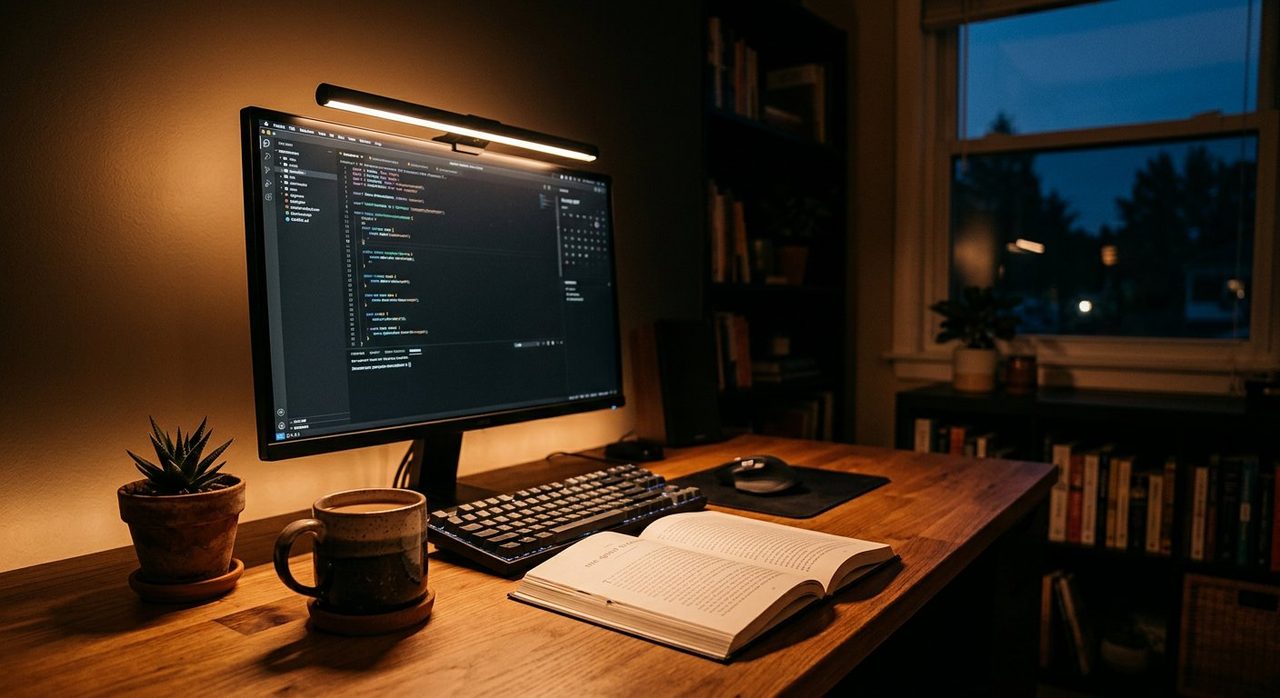
BenQ ScreenBar Halo
Clips to the top of your monitor and lights the desk without reflecting onto the screen. Genuinely changes how comfortable long work sessions are.
BenQ e-Reading LED Desk Lamp
If a screen bar doesn't fit your monitor, this is our backup recommendation. Wide head, auto-dimming based on ambient light, and a quality build.
Elgato Key Light Air
Edge-lit panel that sits behind your monitor, controllable from your phone or computer. The gold standard for video-call lighting.
ARGO-HOME Modern Gourd Table Lamps (Set of 2)
Soft, sculptural accent lighting that warms a home office without screen glare. Set of 2, USB-C rechargeable, touch-dimmable.
Bad lighting is the silent killer of home-office days. It causes eye strain, makes you look exhausted on video calls, and quietly nudges your circadian rhythm out of sync. The good news: you can fix it for under $150 with three lights.
The three-light formula
- Ambient light — fills the room so your face isn't lit by the monitor alone.
- Task light — focused on your work surface or keyboard.
- Key light (camera-facing) — only on during video calls; flatters your face and adds depth.
You can absolutely add a fourth — bias lighting behind the monitor — but it's the lowest priority.
Ambient: get the room above 300 lux
The number-one mistake in home offices is working with only a desk lamp on. Your eyes are constantly contracting and dilating between a bright monitor and a dark room. Aim for at least 300 lux of overall room illumination. Easy ways to hit it:
- Replace overhead bulbs with 800–1100 lumen LEDs at 4000K (neutral white).
- Add a tall floor lamp aimed at the ceiling for indirect "bounce" light.
- Open the blinds. Daylight is free and the best light there is.
Task lighting: pick a real desk lamp
A swing-arm or articulated desk lamp lets you push light onto your keyboard or paperwork without glaring on the screen. Look for:
- Adjustable color temperature (2700K warm to 5000K cool).
- Stepless dimming.
- A wide head that diffuses light rather than spotlighting it.
BenQ ScreenBar Halo
Clips to the top of your monitor and lights the desk without reflecting onto the screen. Genuinely changes how comfortable long work sessions are.
BenQ e-Reading LED Desk Lamp
If a screen bar doesn't fit your monitor, this is our backup recommendation. Wide head, auto-dimming based on ambient light, and a quality build.
Key light: look human on camera
The webcam is just receiving photons. If there aren't enough of them hitting your face from the right angle, no amount of "enhance" software is going to make you look good. Two simple rules:
- The light should be in front of you, never behind. A window behind you turns you into a silhouette.
- The light should be slightly above eye level and slightly off-center — that's flattering "loop lighting" in photography terms.
Elgato Key Light Air
Edge-lit panel that sits behind your monitor, controllable from your phone or computer. The gold standard for video-call lighting.
Color temperature through the day
If your lights are tunable, here's a simple schedule that aligns with your circadian rhythm:
- Morning (until 11am): 5000–5500K cool white — promotes alertness.
- Midday (11am–4pm): 4000K neutral.
- Evening (after 4pm): 2700–3000K warm white — winds your brain down for sleep.
Smart bulbs (Philips Hue, Wyze, etc.) can automate this. If automation is overkill, just manually dim and warm your lights in the late afternoon.
Bias lighting (the bonus)
A simple LED strip behind your monitor reduces the contrast between the bright screen and the dark wall behind it. That reduces perceived glare and noticeably cuts eye strain on long evening sessions.
What we'd avoid
- Ring lights. Fine for selfies, but they reflect circles in your glasses on a video call.
- Cheap unfiltered LEDs. They flicker, hum and create unhealthy spectra. Look for >90 CRI.
- Single overhead bulb only. Creates harsh down-light and dark eye sockets on camera.
The 30-second lighting audit
Stand at the doorway of your office and squint. If your face is darker than your monitor, your screen is darker than the wall behind it, or any single source of light is so bright you have to look away — your lighting needs work. Add one light at a time and reassess.
Frequently asked questions
How bright should my home office be?
Aim for at least 300 lux of ambient room lighting, plus a focused task light at 500+ lux on your work surface. The single most common mistake is working with only a desk lamp on — your eyes constantly recalibrate between the bright screen and dark room.
What color temperature is best for working from home?
Cool white (4000–5000K) in the morning for alertness, neutral white (3500–4000K) midday, and warmer (2700–3000K) in the evening to wind down. Tunable smart bulbs can automate this.
Are LED ring lights good for video calls?
Generally no. The circular reflection in glasses is distracting, and the lighting is flat and unflattering on most faces. A diffused rectangular light (Elgato Key Light Air) or a screen-bar style light gives better results.
What's bias lighting and is it worth it?
Bias lighting is a soft LED strip behind your monitor that reduces the contrast between the bright screen and dark wall behind it. It noticeably reduces eye strain on long evening sessions. A $15 strip does the job.
Spotted a mistake or want to suggest a product we should test? Get in touch — we read every message.