
Disclosure: WorkWise is reader-supported. When you buy through links on our site, we may earn an affiliate commission at no extra cost to you. Learn more.
At-a-glance recommendations
A fast comparison list for the products covered in this guide.
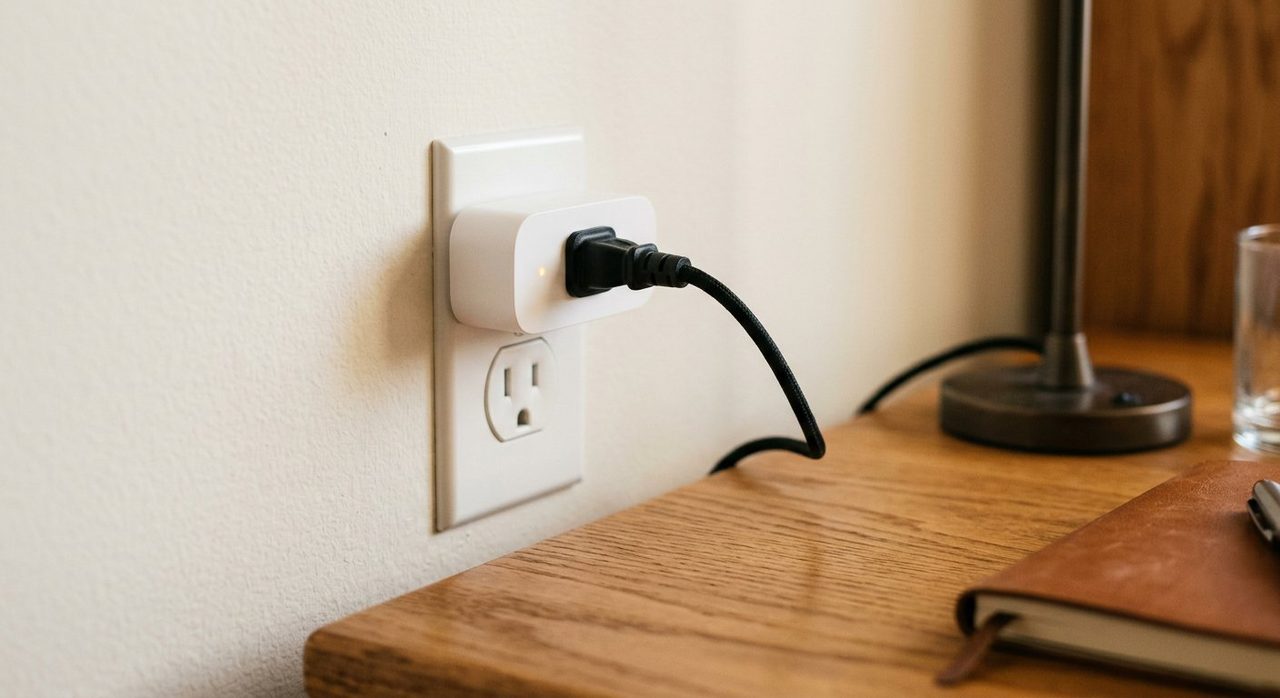
TP-Link Kasa Smart Plug Mini (4-pack)
Reliable, small enough to not block adjacent outlets, no hub required. App is simple, scheduling is robust. The default recommendation.
TP-Link Kasa KP125 Energy Monitoring Plug
Same as above but tracks power consumption so you can see what's drawing standby power in your office. Useful for identifying which "off" devices are…
Eve Energy (Matter)
If you live in Apple's ecosystem, Eve plugs work natively with HomeKit without setup friction. Slightly more expensive but the integration is…
Wyze Plug (2-pack)
Wyze's pricing is hard to beat. App is decent if not as polished as TP-Link's. Good for try-before-committing.
Govee Outdoor Smart Plug
If your home office shares a building with garage outlets, an outdoor-rated plug lets you automate workshop tools, chargers, and lighting from your…
Smart plugs are easy to dismiss as gimmicks until you find the right home-office use cases. Then they quietly become things you can't imagine working without. Here are the specific scenarios where smart plugs genuinely improve the work day, plus the plugs we'd actually buy.
5 smart-plug uses that actually matter
1. The "you're at work / you're done" lamp
Schedule your desk lamp to turn on at your work start time and off at your stop time. The physical signal is more effective than any digital reminder for ending the work day.
2. End-of-day everything-off
One plug controls your power strip; one tap (or scheduled time) cuts power to monitor, lamp, speakers, and chargers. Saves standby power (~$30/year typical) and provides a clean "office is closed" ritual.
3. Standing-desk reminder
Schedule your desk lamp to dim every 90 minutes for 10 seconds — your cue to stand, stretch, or change posture. Subtle enough to ignore in deep focus, hard enough to miss to actually work.
4. Morning coffee maker schedule
Set your coffee maker to start brewing 10 minutes before you sit down. Walking into an already-brewed coffee on a Monday morning is a small luxury that genuinely improves the work week.
5. White noise / focus sounds on demand
Have a fan or white-noise machine on a smart plug; one voice command starts your "focus mode" environment without touching anything.
1. Best overall — TP-Link Kasa Smart Plug Mini
TP-Link Kasa Smart Plug Mini (4-pack)
Reliable, small enough to not block adjacent outlets, no hub required. App is simple, scheduling is robust. The default recommendation.
2. Best with energy monitoring — TP-Link Kasa KP125
TP-Link Kasa KP125 Energy Monitoring Plug
Same as above but tracks power consumption so you can see what's drawing standby power in your office. Useful for identifying which "off" devices are actually phantom-loading.
3. Best for Apple HomeKit — Eve Energy
Eve Energy (Matter)
If you live in Apple's ecosystem, Eve plugs work natively with HomeKit without setup friction. Slightly more expensive but the integration is seamless.
4. Best budget — Wyze Plug
Wyze Plug (2-pack)
Wyze's pricing is hard to beat. App is decent if not as polished as TP-Link's. Good for try-before-committing.
5. Best outdoor-rated — Govee Outdoor Smart Plug
Govee Outdoor Smart Plug
If your home office shares a building with garage outlets, an outdoor-rated plug lets you automate workshop tools, chargers, and lighting from your desk.
What to avoid
- Smart plugs requiring proprietary apps. Stick to brands with Google Home / Alexa / HomeKit integration.
- Plugs without local control fallback. If your internet drops, you should still be able to press the button.
- Cheap unbranded plugs under $5. Often have shoddy power handling and short lifespans.
Final word
Start with two TP-Link Kasa Mini plugs — one for your desk lamp, one for your master power strip. Schedule them. See what changes about your work day. The third use case becomes obvious within a week.
Frequently asked questions
Are smart plugs worth it for a home office?
Yes, for specific use cases — automating desk lamp schedules, scheduling shutdowns at end of day, automating the 'work mode' lighting scene. Less useful for things you only turn on/off once a day.
Do smart plugs need a hub or just Wi-Fi?
Most modern smart plugs work directly over Wi-Fi without a hub. Older Zigbee/Z-Wave models need a hub (like a SmartThings or Hubitat). For simplicity, get Wi-Fi-based.
How much electricity does a smart plug use?
Negligible — about 1-2W when idle. Even running 24/7 it adds less than $2 per year to your electric bill.
Can smart plugs handle a standing desk's power draw?
Most can — standing desks draw 100-200W during movement. Check the plug's rating (most TP-Link and Wyze plugs handle 1800W). Don't use them for high-draw devices like heaters.
Do smart plugs work without internet?
Some do for basic on/off via local app; most lose scheduling and voice control features when internet drops. Look for ones with 'local control' if reliability matters.
Spotted a mistake or want to suggest a product we should test? Get in touch — we read every message.